🤘
Create your ROCK! AWAY! account
Save events, follow artists, and claim artist or venue pages.
Were you invited to claim an Artist or Business page?
You will be directed to maxpowerrockaway.com. From there, open the Account menu.
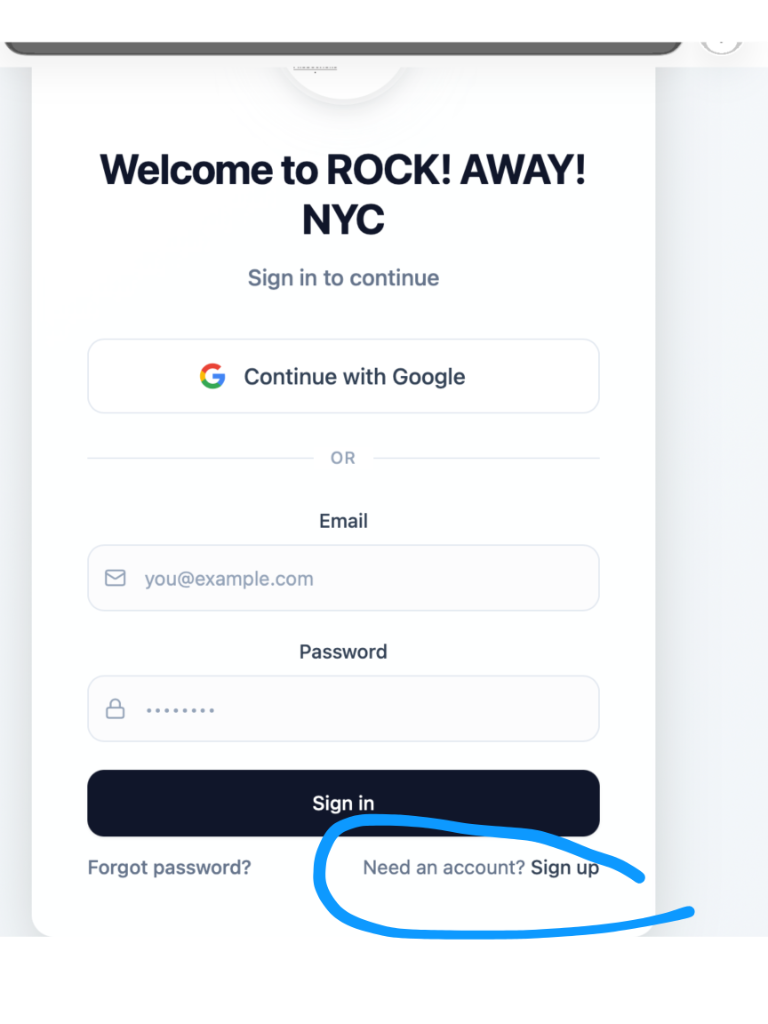
- If you already have an account, click Sign In.
- If you need to create an account, click Sign Up. The reference picture below shows where the Sign Up option is located.
Once you sign in or create your account, you will be prompted to claim your Artist or Business page.
If you have any issues, email us at info.maxpowerpresents@gmail.com.
Thank you for joining ROCK! AWAY!